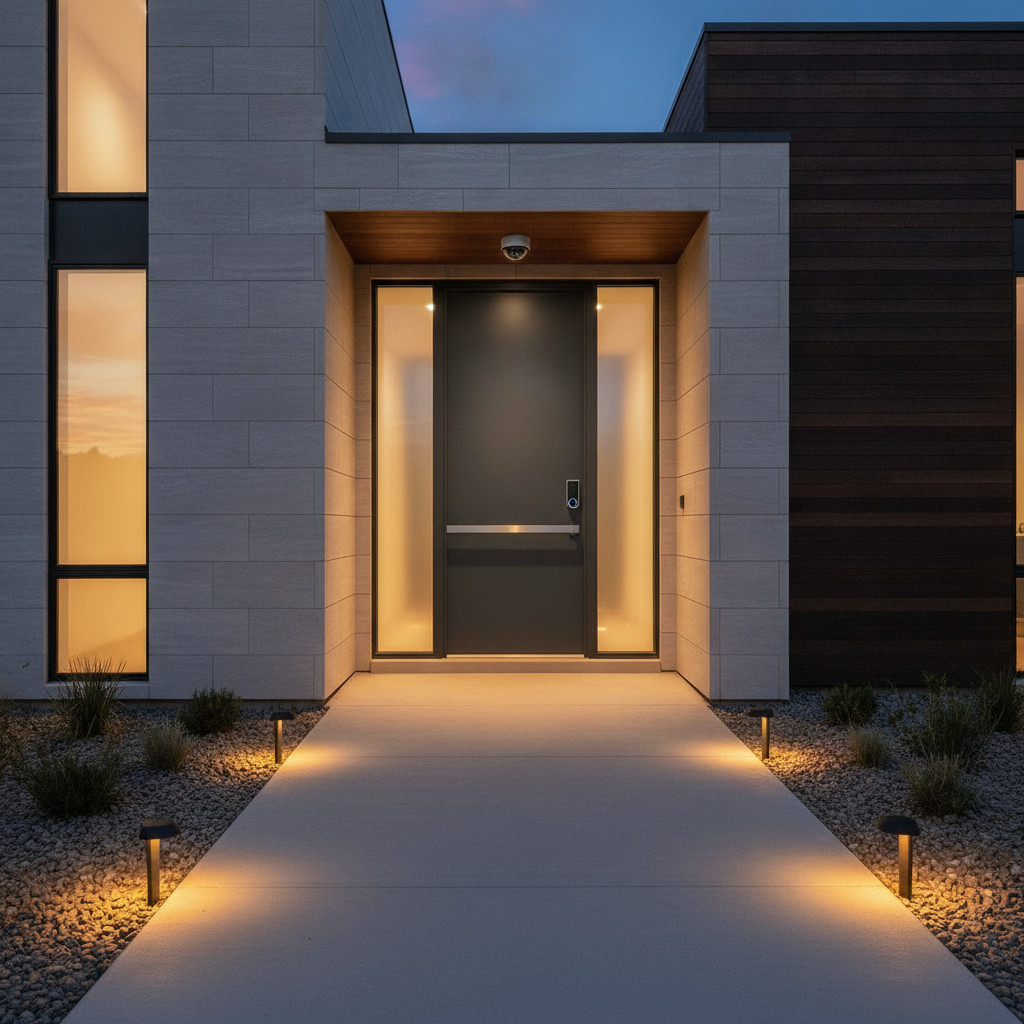
Secure access is the practice of controlling and verifying who can enter your property through doors, gates, garages, and digital credentials. It combines physical locking hardware with smart identity checks to prevent intrusions and streamline family and guest entry. For homes in Brampton, secure access ties directly into SmartAura’s unified automation platforms.
By SmartAura • Last updated: 2026-06-21
Overview: secure access for GTA homes
Secure access protects doors, gates, and garages with smart locks, video doorbells, and identity-based controls. The goal is simple: keep threats out while letting trusted people in—fast. SmartAura designs integrated solutions that combine entry hardware, apps, and networking so your family, cleaners, and deliveries get in safely without spare keys.
In this complete guide, we’ll map out how modern access control works at home, what to prioritize first, and where it pays to integrate with lighting, cameras, and networking. You’ll also see examples from SmartAura projects across Toronto, Mississauga, Brampton, Vaughan, Oakville, Kitchener, Waterloo, and Cambridge.
- What is secure access?
- Why it matters
- How it works
- Types and approaches
- Best practices
- Tools and resources
- Case studies and examples
- FAQ
- Key takeaways
- Conclusion
Local considerations for Brampton
- Winter prep: set garage and gate motors to weather-friendly modes and add battery backups so entry stays reliable during cold snaps and storms common across the GTA.
- Holiday traffic: enable temporary visitor codes and delivery windows to handle increased package drop-offs and guests without handing out spare keys.
- Network health: dense neighborhoods benefit from pro Wi‑Fi channel planning so video doorbells and smart locks stay responsive during evening network congestion.
What is secure access?
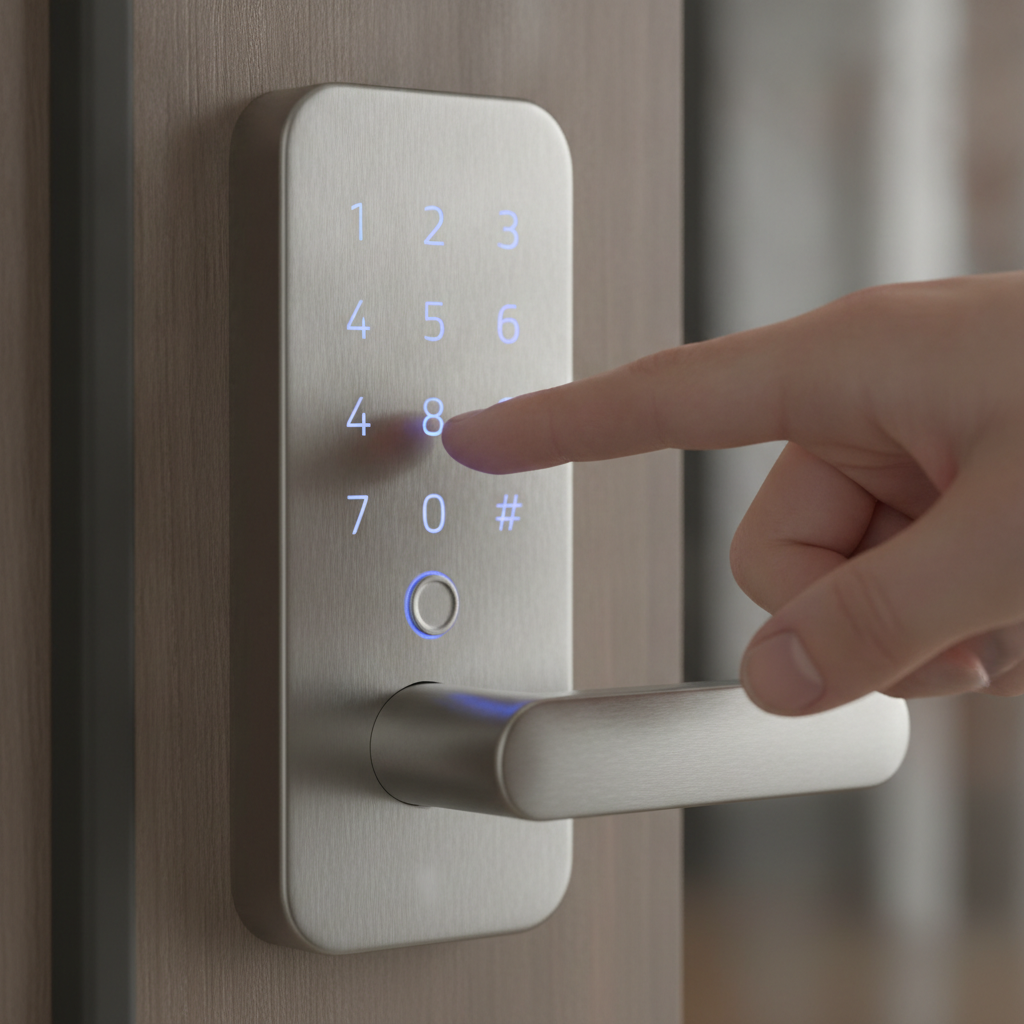
Secure access is identity-based control over who can enter your property and when. It replaces or augments keys with PINs, mobile credentials, biometrics, schedules, and logs. At home, it links front doors, gates, and garages with cameras, sensors, and alerts so you always know who’s coming and going.
At its core, secure access blends three layers: identification (who), authentication (prove it), and authorization (when/where). The experience should feel effortless for the right people and a dead end for everyone else. The trick is designing it as one system—not scattered gadgets.
Key components homeowners actually use
- Smart locks: keyless entry with PINs, app control, auto-lock, and activity logs.
- Video doorbells: live view, two-way talk, and motion alerts to greet or deter visitors.
- Garage and gate controllers: openers tied to presence, schedules, or vehicle sensors.
- Mobile credentials: unlock with your phone or smartwatch—no spare keys.
- Biometrics: fingerprint or face readers for quick, personal verification.
- Sensors: door/window, motion, and tilt sensors for instant status awareness.
SmartAura unifies these into one app and one automation layer. That means your foyer light can turn on when a trusted code is entered, your hall camera can record that entry event, and your climate can adjust when the family arrives.
Why secure access matters
Access is where most risks and daily frustrations meet. The right setup deters intrusions, removes spare-key exposure, documents every entry, and gives family and service providers the access they need—no drama. It also improves convenience by tying lighting and climate to arrival events.
Doors, gates, and garages are your home’s choke points. If they’re weak, everything behind them is at risk. If they’re smart and verified, you gain both resilience and everyday ease. For GTA homeowners working long days or traveling, remote control and trusted automations aren’t nice-to-haves—they’re peace of mind.
Benefits you’ll notice fast
- No more spare keys: stop hiding them and issue codes or mobile passes instead.
- Clear audit trails: see exactly when cleaners, dog walkers, or contractors arrived.
- Deterrence on camera: motion-activated lighting and two-way talk change behavior.
- Arrival scenes: lights, temperature, and music adapt to who just walked in.
- Safer package handling: create a one-time code or open the garage briefly from your phone.
Because SmartAura integrates access control with cameras and networking, you’re not juggling five apps to manage a single door. That cohesion is what turns security from a chore into a background comfort.
How secure access works in a smart home
A secure access system links entry hardware to identity checks and automations. When a credential is presented—PIN, phone, fob, or biometric—the system verifies it, logs the event, and triggers rules like unlocking, lighting, and camera recording. Networking keeps everything fast and reliable.
Think of it as a handshake: your door asks, “Who are you?” Your device answers. The system validates the answer, then decides what to do. The best setups also layer context such as time windows, presence detection, and geofenced arrival to avoid false unlocks and keep logs meaningful.
Typical flow for a front-door unlock
- Present credential: phone tap, PIN, or biometric scan.
- Verify identity: encrypted check against your approved list.
- Authorize: confirm schedule and permissions (e.g., weekdays, 9 a.m.–5 p.m.).
- Action: unlock the deadbolt; log the event; notify your phone.
- Automations: foyer lights on; camera clip starts; thermostat adjusts.
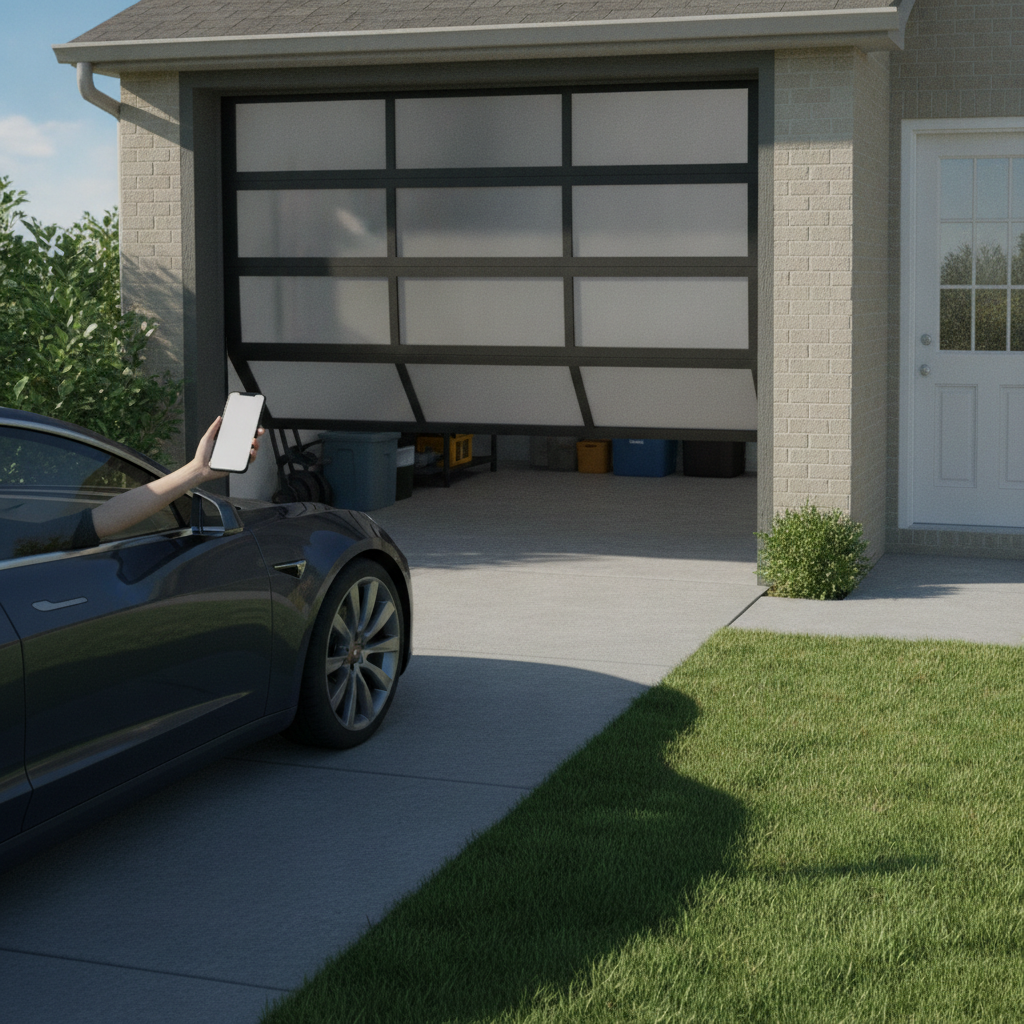
For garages and gates, the flow is similar but often uses vehicle sensors, license plate recognition (for private gates), or geofencing to start opening as you arrive. SmartAura tunes these triggers to avoid accidental opens while keeping everyday use snappy.
Network and reliability essentials
- Pro-grade Wi‑Fi and wiring: smart locks, doorbells, and cameras stay responsive on well-planned networks; poor coverage causes lag and missed alerts.
- Local fail-safes: keypad codes and physical keys remain as backups.
- Battery and power strategy: backups for locks and garage motors keep access working during outages or storms.
- Unified platform: one app and one rules engine reduce errors and make logs complete.
SmartAura’s networking and connectivity services are designed to keep access devices online and fast, which is crucial when you need a real-time doorbell talk or a late-night remote unlock for family.
Types, methods, and approaches
Home access methods range from PINs and mobile passes to biometrics and vehicle triggers. The best choice depends on entry points, family habits, and guest needs. Mixing methods—like mobile plus PIN for guests—gives flexibility without weakening security.
Each method has trade-offs in convenience, reliability, and auditability. A balanced plan uses at least two credential types, adds cameras for context, and ties lighting to motion for deterrence. Below is a quick comparison to help you choose where to start.
| Method | Best for | Pros | Considerations |
|---|---|---|---|
| PIN codes | Guests, cleaners, deliveries | Easy to issue and revoke; clear logs | Should rotate; avoid obvious numbers |
| Mobile credentials | Family, trusted adults | No key sharing; remote control; geofencing | Requires solid Wi‑Fi/cellular and phone security |
| Biometrics | Primary residents | Fast; personal; no code to remember | Have PIN/physical key as backup |
| Key fobs/cards | Garage, gates | Simple; works when phone dies | Fobs can be lost; revoke quickly |
| Vehicle sensors | Driveway/garage arrival | Hands-free open/close; great in winter | Tune range to avoid false triggers |
For many GTA homes, we pair mobile credentials for family with time-boxed PINs for service providers, then add a vehicle trigger for the garage. Cameras cover each entry, and motion-linked smart security lighting and alerts reinforce deterrence.
Where each method shines
- Front door: video doorbell + smart lock with PINs; mobile unlock for daily use.
- Side/back door: PIN or biometric for quick yard access; keep logs consistent.
- Garage: mobile geofence + vehicle sensor; keypad for backups.
- Gate: keypad and intercom; optional license plate recognition on private drives.
- Service entrance: temporary codes with schedules and instant revoke.
To keep it simple, SmartAura configures one-pane control that clearly labels each door and its status. If a door was left unlocked, you’ll know—and your phone can fix it in seconds.
Best practices for safer entrances and garages
Start with solid door hardware, then layer identity checks, cameras, and lighting. Use unique codes, short schedules, and fast revocation for guests. Keep networks strong and add power backups so locks and openers work during storms and outages.
In our experience, most issues trace back to weak basics: flimsy strike plates, unmaintained door closers, dead zones in Wi‑Fi, or outdated firmware. Fixing fundamentals makes every smart feature better—faster unlocks, fewer false alerts, and stronger deterrence.
Actionable checklist
- Install reinforced strike plates and quality deadbolts at primary entries.
- Use unique PINs per person; expire service codes after each visit.
- Link entry events to cameras and alerts for context and deterrence.
- Enable auto-lock with sensible delays (e.g., 30–90 seconds) to prevent forgetfulness.
- Pair motion lighting with arrival scenes so paths are bright and welcoming.
- Update firmware and app versions quarterly to close known vulnerabilities.
- Harden your network with pro Wi‑Fi design and security.
- Add battery backups for locks, doorbells, and garage motors.
Once these are in place, the experience shifts. You’ll stop thinking about locks and start relying on automations that just work—through winter freezes, summer storms, and everyday comings and goings.
Tools and resources SmartAura uses
We deploy smart locks, doorbells, gate/garage controllers, sensors, and unified control hubs that speak a common language. Professional networking ties it together, while Matter-enabled platforms increase device choice and future flexibility without extra apps.
Because SmartAura is a full-service integrator, our team designs, wires, configures, and supports each component so the whole feels seamless. Here are categories we commonly use and how they fit into your daily flow.
Core building blocks
- Smart locks and strikes: front, side, and service doors; PINs, mobile, and auto-lock.
- Video doorbells: two-way talk, person detection, secure package flow.
- Garage and gate control: open/close from phone, schedules, presence automation; explore garage and entry solutions.
- Sensors: door, window, motion, tilt, and vehicle sensors; see our smart sensor options.
- Control hubs and assistants: voice and touch control with unified rules; review assistants and hubs.
- Networking: mesh Wi‑Fi, VLANs, and security features to keep access snappy.
All of this is consolidated inside SmartAura’s platform approach so you’re not switching apps to lock a door, view a camera, and turn on lights. Fewer taps, better logs.
Standards and compatibility
- Matter integration: broader device compatibility under one control layer.
- Encrypted credentials: protect phone-based unlocks and doorbell streams.
- Local control fallbacks: keypad and key access if internet drops.
For a deeper solution overview, explore SmartAura’s whole-home automation approach, which coordinates security with lighting, climate, and audio for truly unified experiences.
Case studies and real-world examples
Real homes across the GTA use secure access to simplify daily life: time-boxed codes for cleaners, phone unlocks for family, and geofenced garage opens on arrival. When integrated with cameras and lighting, homeowners get deterrence, clarity, and comfort—without handing out spare keys.
Here are condensed examples drawn from SmartAura projects that mirror common needs we see from Toronto to Cambridge. Names and exact addresses are omitted, but the situations are typical and instructive.
Example 1: Busy household with rotating service providers
- Need: cleaners and dog walker access twice weekly without keys.
- Build: front-door smart lock with unique codes; schedules 9 a.m.–1 p.m.; camera notifications on entry.
- Outcome: homeowner sees arrival in the app, talks through the doorbell if needed, and codes auto-expire after the window.
Example 2: Winter-friendly garage flow
- Need: hands-free garage open during icy evenings.
- Build: vehicle sensor tuned to driveway; phone geofence to start open; keypad backup if phone battery is low.
- Outcome: smoother entries, no waiting in the cold, and fewer manual remotes to manage.
Example 3: Extended family and frequent guests
- Need: make it easy for grandparents and visiting friends without reducing security.
- Build: mobile passes for family, PINs for guests that rotate monthly; foyer lights on at entry; living room audio scene for arrivals.
- Outcome: thoughtful welcome experience with full logs and easy revocation when visits end.
Example 4: Package-safe entry when no one’s home
- Need: prevent porch theft while accepting deliveries.
- Build: one-time delivery code tied to video doorbell verification; short garage open with camera clip; auto-close after drop-off.
- Outcome: packages protected; clear visual record; no spare keys.
Want a secure, seamless entry experience? Book SmartAura’s free in-home consultation. We’ll assess your doors, gates, garage, and network, then design a unified plan with white-glove installation and lifetime, 24/7 priority support.
Frequently Asked Questions
Homeowners ask about the best entry method, how to manage guest access, and what happens during power or internet outages. With SmartAura, you’ll use a mix of mobile credentials and PINs, keep fallbacks like keys and keypads, and add backups so doors and garages still work in storms.
What’s the most secure way to unlock my front door?
Use a smart lock with mobile credentials for daily use and unique PINs for guests. Pair it with a video doorbell and motion lighting for deterrence. Keep a physical key as a backup, and set auto-lock to prevent accidental unlocks from lingering.
How do I give cleaners or contractors temporary access?
Issue one-time or time-boxed PINs that work only during scheduled windows. Enable app notifications so you see arrival in real time. Revoke or rotate codes after each visit, and keep the audit trail for reference.
Will my locks and garage work during an internet outage?
Yes. Keep local controls like keypads and keys as fallbacks. Add battery backups for locks and motors, and design your network so doorbells and cameras recover quickly after power returns. Remote features resume once connectivity is restored.
Do I need cameras at every door?
Cover primary entries first: front door, garage, and the most-used side or back door. Add cameras where valuable items enter or where visibility is limited. Quality networking ensures clips are captured quickly when access events occur.
Key takeaways and next steps
Start with strong door hardware and unified smart locks, then add cameras, lighting, and reliable networking. Issue unique, scheduled credentials and keep backups for power or internet outages. SmartAura designs, installs, and supports everything as one system for dependable, everyday use.
- Design entries as one system, not scattered gadgets.
- Mix credentials: mobile for family, short-lived PINs for guests.
- Link access to lighting and cameras for clarity and deterrence.
- Harden your network so doorbells, locks, and sensors respond instantly.
- Use SmartAura’s unified automation approach to simplify control and support.
Conclusion
Secure access blends smart locks, sensors, and identity-based controls to protect doors, gates, and garages—without adding friction. With one unified platform and strong networking, you get fast, reliable entry for the right people and a firm stop for everyone else.
If you’re in Brampton or anywhere across the GTA, SmartAura’s process—free consultation, bespoke design, and white-glove installation—delivers a seamless, durable access experience. We’ll engineer the details, so your day-to-day feels effortless and safe.
For additional background and industry perspectives, see access control overviews like these resources from established security publishers: insights on access control systems, a general CCTV security guide, and a video surveillance overview. These complement SmartAura’s residential focus with broader context.