When a Vaughan homeowner starts researching whole-home WiFi, almost every result pushes the same answer: buy a mesh kit. Mesh systems are easy to find on a shelf and easy to set up in an afternoon, which is why they dominate search results. But “easy to install” and “the right system for your house” are not the same thing, particularly in Vaughan's newer subdivisions where homes routinely run 3,000 to 6,000+ square feet across brick, stone, and stucco exteriors that were never designed with wireless signal in mind. SmartAura installs both systems, and for most detached Vaughan homes, we now recommend a hardwired access point (AP) system over consumer mesh — not because mesh is bad, but because a wired system solves the actual problem instead of working around it.
Why “Easy to Install” Isn't the Same as “Works Well”
Mesh WiFi's biggest selling point is also its biggest technical compromise: the nodes talk to each other wirelessly. Every mesh system without a dedicated wired backhaul splits its radio's attention between talking to your devices and relaying traffic back to the main router — that's called “wireless backhaul,” and it roughly halves available bandwidth at each hop, so a laptop connected to a node two hops from the router isn't getting anywhere near your internet plan's speed, even if the signal bars look full. In a large Vaughan home with a mesh node in the basement and another on the second floor, that compounding loss is exactly where “my WiFi shows full bars but nothing loads” complaints come from.
What a Wired AP System Actually Changes
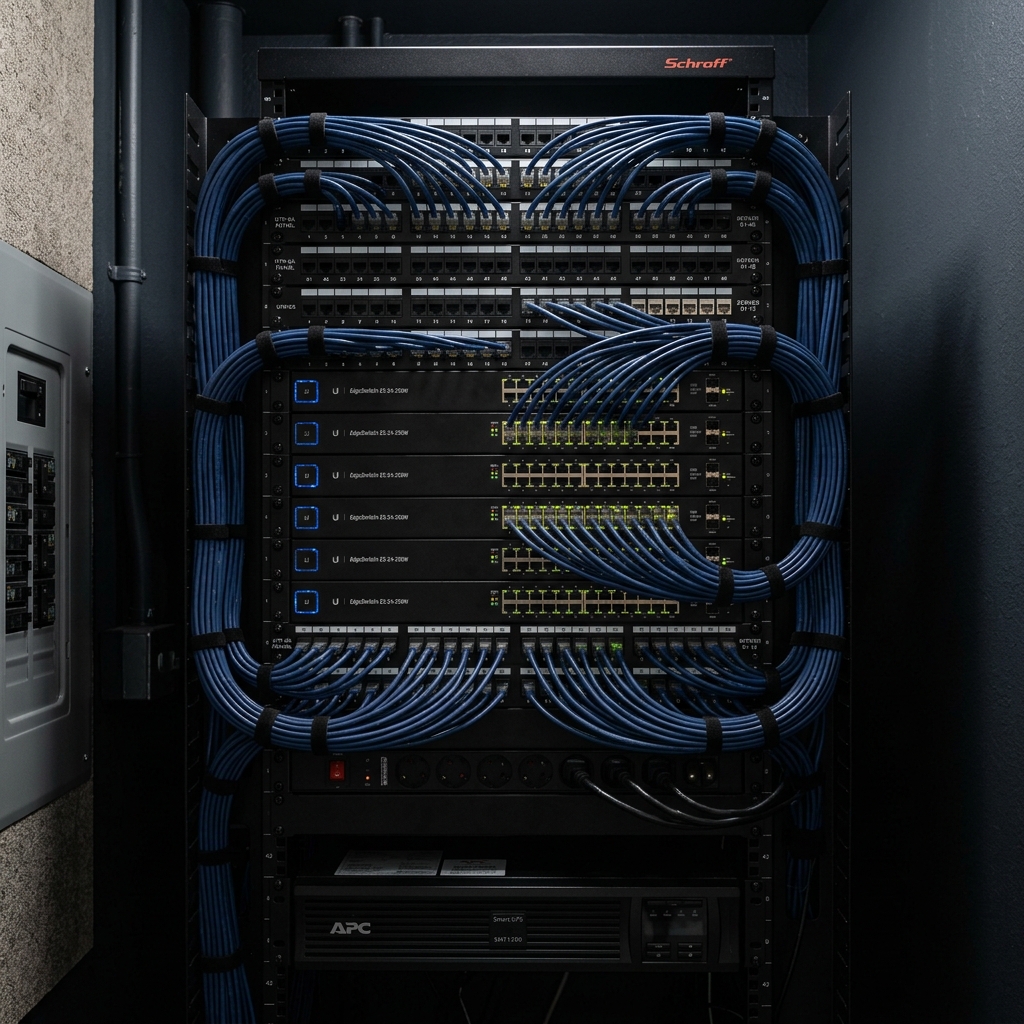
A hardwired access point system runs a dedicated Cat6 or Cat6A cable from a central network switch to each AP, mounted flush in the ceiling. Every AP gets full-speed, dedicated bandwidth with zero wireless hop penalty — there's no relay, no shared radio, no degradation as you add more coverage. Because the cabling is fixed infrastructure and the APs are professionally configured under one network profile, your phone hands off between access points as you walk through the house without you noticing a drop, the way a well-designed office or hotel network works. And because the whole system is set up and tuned once by an installer rather than managed room-by-room through a consumer app, there's no separate dashboard to log into every time a node needs a reboot or a firmware update — it's engineered to be invisible, not something you maintain.
When Mesh Still Makes Sense
We're not against mesh categorically. For a townhome, a condo, or a smaller detached home under about 2,000 square feet with open sightlines, a good mesh kit with a wired backhaul option can perform close to an AP system for a fraction of the install effort. Mesh also makes sense as a rental or short-term fix. Where it consistently falls short is in larger Vaughan homes with finished basements, multiple floors, and dense wall construction — exactly the housing stock common in Kleinburg, Vellore Village, and Woodbridge.
What Actually Drives the Cost
- Cable runs — the biggest cost variable is how much Cat6 needs to be pulled through walls, attics, or a finished basement, and whether it's a new build (easy access) or a retrofit (more labour).
- Access point count — determined by square footage and construction materials, not a fixed number; stone and stucco exteriors and finished basements typically need one more AP than the same footprint in a simpler layout.
- Switch and equipment — a managed switch and a properly labeled patch panel cost more upfront than a mesh kit but are one-time, not subscription-based.
- Existing infrastructure — homes with existing structured wiring or conduit, common in some newer Vaughan builds, cost less to retrofit than homes with none.
Planning an AP System for a Vaughan Home
The right number and placement of access points depends on layout, not just size. A two-storey home with a walkout basement typically needs APs on each level rather than trying to blast signal up through a floor. Vaughan's newer estate subdivisions often have home offices, detached garages, or pool houses that a single router — or even a two-node mesh kit — was never going to reach; those become dedicated AP or point-to-point drops during the same visit.
Frequently Asked Questions
Is a wired AP system worth it over a mesh kit I can buy myself?
For homes under roughly 2,000 sq ft with simple layouts, a good mesh kit is often good enough. For larger homes, multiple floors, or dense construction, a wired AP system delivers noticeably more consistent speed and doesn't degrade as you add coverage.
Will I need to log into an app to manage each access point?
No — that's the point of a professionally configured AP system. It's set up once as a single network with one SSID, and ongoing management is handled during scheduled maintenance rather than through a per-node consumer app.
Can a wired AP system be added to a home without existing wiring?
Yes. Most of our Vaughan installs run new Cat6 through attics, basements, or wall cavities during the same visit; we assess accessibility during the walkthrough and quote accordingly.
Does a wired system cost more than mesh?
Upfront, yes — cabling and a managed switch cost more than a mesh kit off the shelf. There's no recurring cost either way, but the wired system typically needs far less troubleshooting over time.
Do you install in older Vaughan neighbourhoods, not just new builds?
Yes — we run cabling in both new builds and older homes; older construction sometimes adds labour for routing cable through finished spaces, which is accounted for in the quote.
Getting Started
If you're deciding between mesh and a wired AP system, book a free walkthrough and we'll assess your layout, construction, and existing wiring before recommending either option — not just the one we install more of. Our networking services page covers the full range of options in more detail.