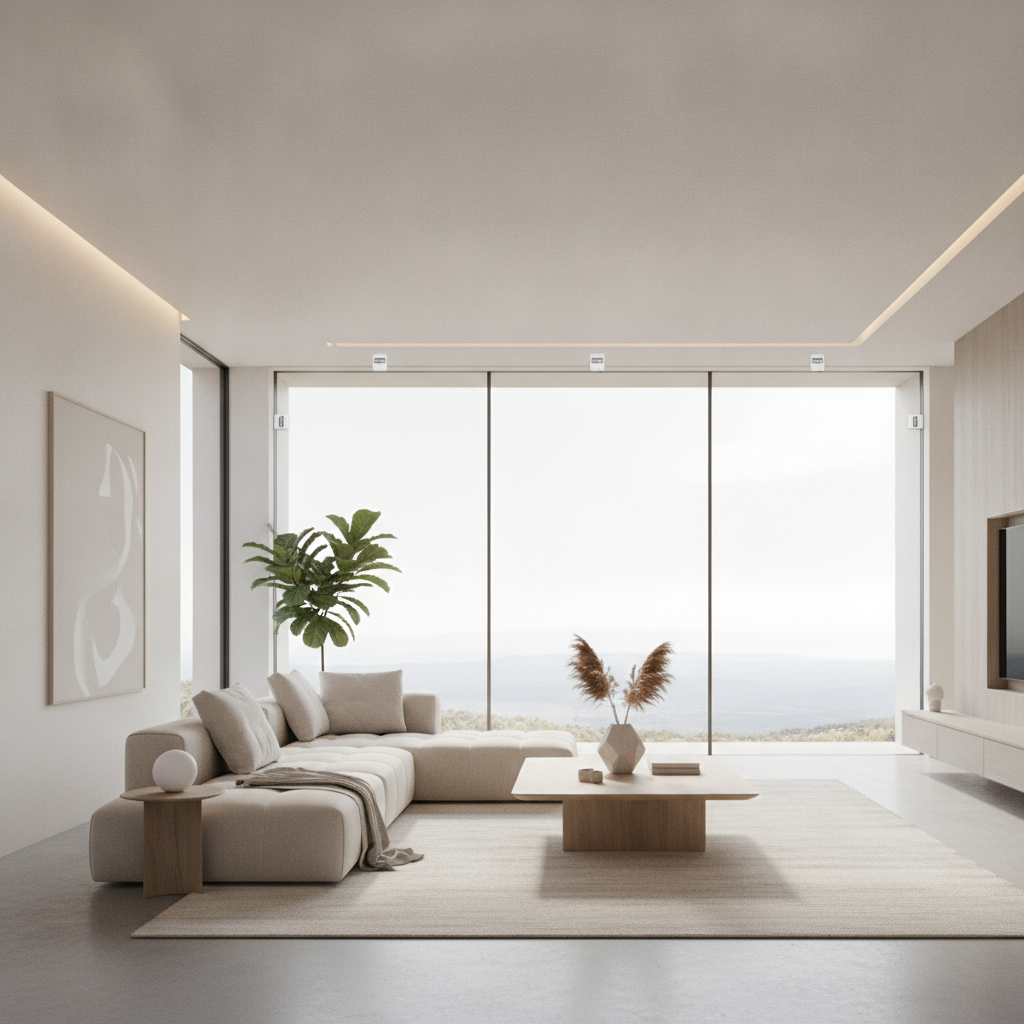
Smart window sensors are compact devices that detect open, closed, tilted, or broken-window events and instantly alert your security system. For Brampton homeowners, smart window sensors reinforce your first line of defense, trigger helpful automations like lights or sirens, and reduce stress by confirming windows are secure from anywhere on your phone.
By Jai inder • Last updated: 2026-07-06
Quick Summary & Table of Contents
This complete guide explains what smart window sensors are, why they matter, how they work, and how to install and integrate them. You’ll learn sensor types, placement, protocols, best practices, and real SmartAura use cases in Brampton. Use the table of contents to jump to any section.
- What are smart window sensors?
- Why they matter
- How they work
- Types and approaches
- Best practices
- Tools and resources
- Case studies and examples
- DIY vs professional install
- Privacy and security
- Frequently Asked Questions
- Conclusion & next steps
What Are Smart Window Sensors?
Smart window sensors are small detectors that monitor whether a window is closed, opened, tilted, or disturbed and then communicate those events to your security or automation hub. They enable instant alerts, trigger lighting and sirens, and provide remote confirmation that your home is secure.
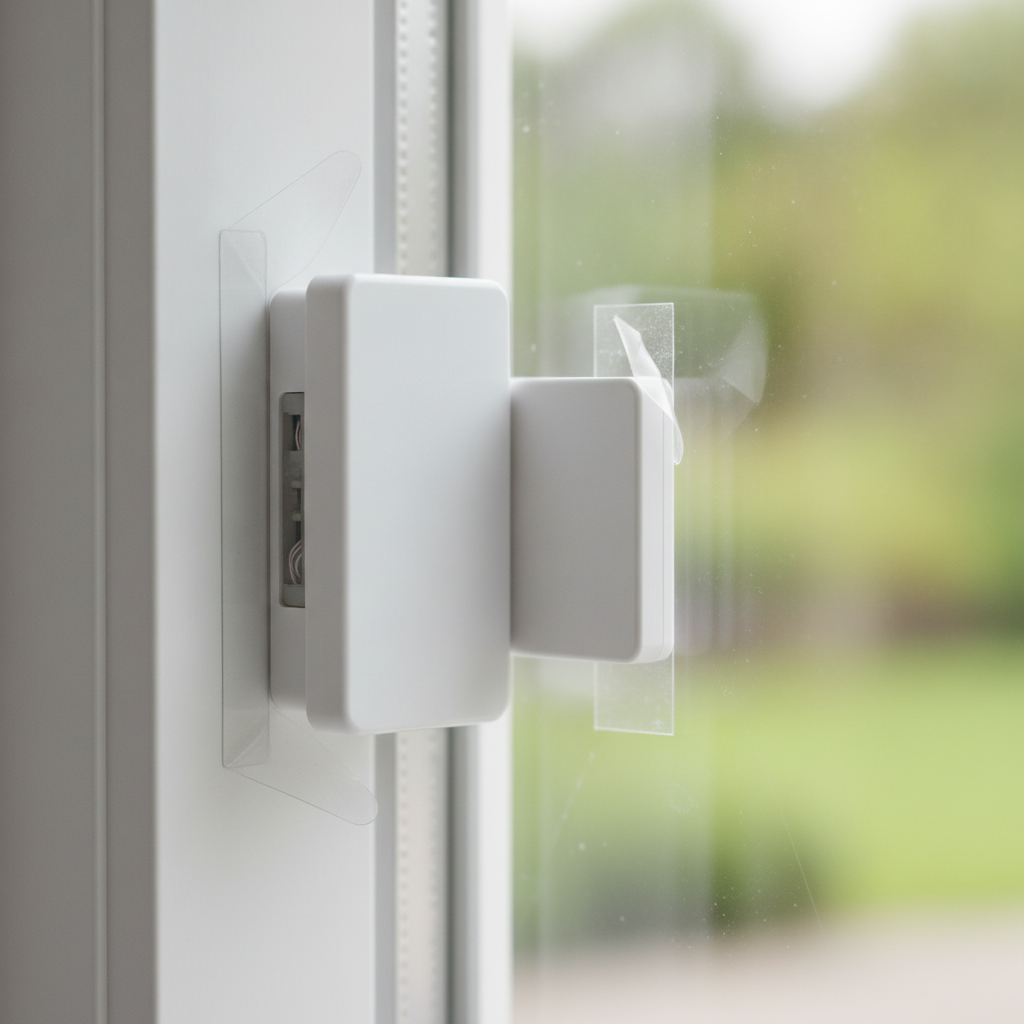
At their core, smart window sensors report state changes. The most common design uses a two-part magnetic contact: one piece on the sash, one on the frame. When the window opens and the magnet separates, the sensor trips and signals your hub in under a second. Other designs sense vibration, a tilt angle, or the unique sound of glass shattering.
SmartAura integrates these sensors into unified systems alongside AI cameras, smart locks, and video doorbells. With one-touch control and 24/7 priority support, homeowners avoid app fatigue and guesswork. Everything works together: sensors deter intrusions, lights provide visibility, cameras record context, and locks secure doors automatically.
- Primary roles: intrusion detection, peace-of-mind checks, and smart automations (for example, pause HVAC if a window opens).
- Common placements: main-floor windows, basement egress windows, and second-floor kids’ rooms or skylights.
- Power sources: coin-cell batteries (often 12–24 months) or hardwired to a panel; some rechargeable via USB.
For Brampton households balancing security and comfort, smart window sensors act like seatbelts for your windows: unobtrusive, reliable, and essential when you need them most.
Why Smart Window Sensors Matter
Window sensors deter intrusions, cut false alarms, and automate comfort. When paired with lighting, shades, and climate, they reduce energy waste and strengthen home safety while keeping daily living simple and predictable.
Windows are common entry points. A sensor on each priority window creates a verifiable perimeter. If a sash moves even a fraction of an inch, your system can alert you, start recording on nearby cameras, and switch on exterior lights—often before anyone steps inside. That sequence takes seconds and adds real deterrence.
- Proactive deterrence: Many homeowners pair sensors with smart security lighting scenes. A triggered scene can illuminate patios and flash a porch light, discouraging entry.
- Everyday convenience: Automate reminders if a window remains open after 10:00 p.m., or have sensors pause the HVAC fan whenever a window opens during mild spring evenings.
- Comfort and wellness: Tie sensors to motorized shades to close at dusk when windows are shut, keeping rooms private and warmer overnight.
Practical note: typical gap tolerances for magnetic contacts are tight (often around a quarter inch). That precision ensures a window must be truly closed to arm, which reduces nuisance alerts and the “Did we close that?” anxiety many families feel at bedtime.
If you want broader alarm context, this independent overview of home alarm installation shows how window sensors fit a layered approach with sirens, panels, and cameras.
How Smart Window Sensors Work
Most sensors use magnetic, vibration, glass-break, or tilt detection. They communicate via Zigbee, Z-Wave, Wi‑Fi, or Thread/Matter to a hub that raises alerts or triggers automations. Battery life commonly spans many months with periodic health checks for reliability.
There are four mainstream sensing methods. Each suits specific window styles and goals. Use this comparison to match your needs.
| Sensor type | Best for | Pros | Watch-outs |
|---|---|---|---|
| Magnetic contact (reed) | Casement, slider, double-hung | Simple, dependable, fast state reporting | Requires tight alignment; small visible parts unless recessed |
| Vibration/shock | Single-pane glass, older frames | Senses impacts; covers atypical frames | Needs sensitivity tuning to prevent false alarms |
| Acoustic glass-break | Rooms with many panes | Covers multiple windows at once | Not a replacement for contact sensors; requires clear line of sound |
| Tilt/angle | Awning, hopper, skylights | Understands partial openings; ideal for ventilation safety | Calibration matters; verify degrees of tilt that trigger |
Event flow: from window to alert
| Step | What happens | Typical timing |
|---|---|---|
| 1 | Window opens, magnet separates or vibration triggers | Instant |
| 2 | Sensor transmits to hub via Zigbee/Z-Wave/Thread/Wi‑Fi | Milliseconds |
| 3 | Hub evaluates rules and scenes | < 1 second |
| 4 | Actions fire: notifications, lights, sirens, camera recording | Seconds |
Wireless protocols and hubs
- Zigbee & Z-Wave: Low-power, fast, and proven. They form meshes so range improves as you add devices.
- Thread/Matter: Newer standard that simplifies multi-brand pairing. Thread self-heals and supports many nodes.
- Wi‑Fi: Useful for a few sensors, but it lacks the battery efficiency of Zigbee or Thread; best when power is available.
- Unified control: SmartAura designs hubs and sensor integrations so windows, locks, cameras, lights, and HVAC act as one system.
Power, batteries, and maintenance
- Battery life: Commonly 12–24 months depending on protocol and reporting frequency.
- Health checks: Schedule monthly test automations to confirm each sensor reports and the hub logs events.
- Tamper protection: Many sensors include tamper switches; your system should alert if a cover is removed.
In our experience delivering white-glove installations across Brampton, we prioritize robust meshes, conservative reporting intervals, and clear audit trails so families can see exactly when each window changed state.
Types, Form Factors, and Approaches
Choose between surface-mount, recessed, or adhesive micro-sensors; match contact, vibration, glass-break, or tilt detection to the window type. Align with Zigbee, Z-Wave, or Thread/Matter for reliable battery life and unified control.
Form factor affects aesthetics, alignment tolerance, and retrofit complexity. SmartAura’s engineering-led design process helps you balance looks with performance and battery life.
Form factors
- Surface-mount contact: Slim modules on frame and sash; fastest to retrofit and easy to service.
- Recessed contact: Hidden in wood or vinyl; nearly invisible, but requires precise drilling and alignment.
- Micro/adhesive contact: Low-profile and renter-friendly; best on clean, smooth frames.
- In-glass acoustic: Wall-mounted microphones covering multiple panes; ideal for rooms with lots of glass.
Window types and placement notes
- Casement & sliders: Place magnet on moving sash; sensor on fixed frame. Keep a tight gap (target about 0.25 inches).
- Double-hung: Mount on the upper sash if you ventilate from the top; otherwise on the lower for intrusion detection.
- Awning & hopper: Use tilt sensors calibrated to the opening angle you consider unsafe.
- Skylights: Combine tilt with contact for safety and weather automations.
For whole-home consistency, we standardize sensor placement height and orientation so everything looks intentional. That’s the difference between DIY and a design-forward install.
Best Practices for Reliable, Low-Drama Protection
Plan placements during design, verify gap tolerances, build a strong mesh, and test monthly. Pair sensors with lighting, shades, and HVAC rules to reduce false alarms and increase everyday comfort.
Installation and configuration best practices
- Design walk-through: Prioritize first-floor and basement windows, kids’ rooms, and windows near ladders or easy climbs.
- Alignment matters: Keep magnet and sensor gaps within manufacturer specs; test with the smallest opening you care about.
- Mesh strength: Add a few always-powered Zigbee or Thread devices (for example, outlets) near clusters of sensors to stabilize routing.
- Event scenes: Tie “window opened” to camera recording and a “welcome light” for deterrence.
- HVAC sanity: Pause climate when windows open; resume only after all sensors in a room report closed for five minutes.
- Tamper alerts: Turn on notifications if a sensor cover is removed or a device misses two check-ins.
Local considerations for Brampton
- Seasonal swings can chill batteries. Favor Zigbee or Thread sensors with solid cold-weather performance and schedule winter health checks.
- Spring and fall ventilation is common. Use tilt sensors or “vent mode” automations that allow a small opening without arming errors.
- For renovation-heavy neighborhoods, plan recessed contacts during trim updates so the finish stays clean and consistent.
SmartAura backs every project with lifetime, 24/7 priority support. If a sensor ever misbehaves, you won’t be left troubleshooting at midnight—our team can remote-diagnose and dispatch when needed.
Tools, Apps, and Resources (The SmartAura Way)
Use a unified hub with Matter support, a reliable mesh, and a clean control app. SmartAura designs systems where window sensors, cameras, lighting, climate, and shades work together and remain simple to manage day to day.
SmartAura is a premium integrator, not a box shipper. We handle end-to-end delivery—consultation, custom design, professional installation, and lifetime support—so you enjoy the outcome without DIY headaches.
- Unified app: One-touch scenes and clear logs for “Window Closed,” “Window Opened,” and “Tamper” states.
- Matter-ready hubs: Easier cross-brand compatibility with smart sensors, voice assistants, and control displays.
- Lighting & shades: Automations that dim lights and lower motorized blinds when all windows close after sunset.
- Security layers: Pair with indoor/outdoor cameras and smart locks for complete coverage.
- Entry coordination: For slider doors and garages, see our garage and entry controls to complement window protection.
Curious about system components from a consumer angle? This overview of home security systems offers broad context before you dive into a tailored design. When you’re ready, SmartAura brings pro-grade engineering to your specific home and lifestyle.
Soft CTA: Live in Brampton and planning a renovation? Book our free in-home consultation to map sensor placements before trim goes up. We’ll design, install, and support a unified system that just works.
Case Studies and Real-World Examples
SmartAura’s Brampton and GTA projects show how well-placed sensors deliver fewer false alarms, smoother comfort routines, and clean aesthetics. These brief examples illustrate practical configurations that work day-to-day.
- Brampton family home: Surface-mount contacts on all first-floor windows tie to a “Goodnight” scene. If any window is open at 10:30 p.m., the hallway light blinks and the app prompts to secure it.
- Mississauga renovation: Recessed contacts during trim updates deliver an invisible finish. A tilt sensor on the nursery awning window triggers a chime if it opens more than 3 degrees.
- Vaughan townhome: A single glass-break sensor covers four small panes in the living room, while contacts still guard slider doors and a basement egress.
- Condo retrofit: Adhesive micro-sensors on vinyl frames avoid drilling. HVAC pauses if any window is open longer than 120 seconds to prevent energy waste.
- Oakville bungalow: Contact sensors on basement windows trigger exterior floods and start camera recording; a strobe in the rec room adds deterrence.
- Kitchener office suite (light commercial): After-hours arming links window sensors with access control. A dashboard log shows who armed and which pane opened.
- Waterloo smart upgrade: Thread sensors and always-powered outlets build a resilient mesh; monthly test scenes verify battery status and reporting.
- Cambridge new build: Builder coordination places recessed contacts pre-trim for perfect alignment and paint-matched caps.
We document many of these setups in our project portfolio and share practical lessons on our blog. Patterns repeat: consistent placement, reliable meshes, and thoughtful scenes tend to reduce support tickets month after month.
Installation: DIY vs Professional Integration
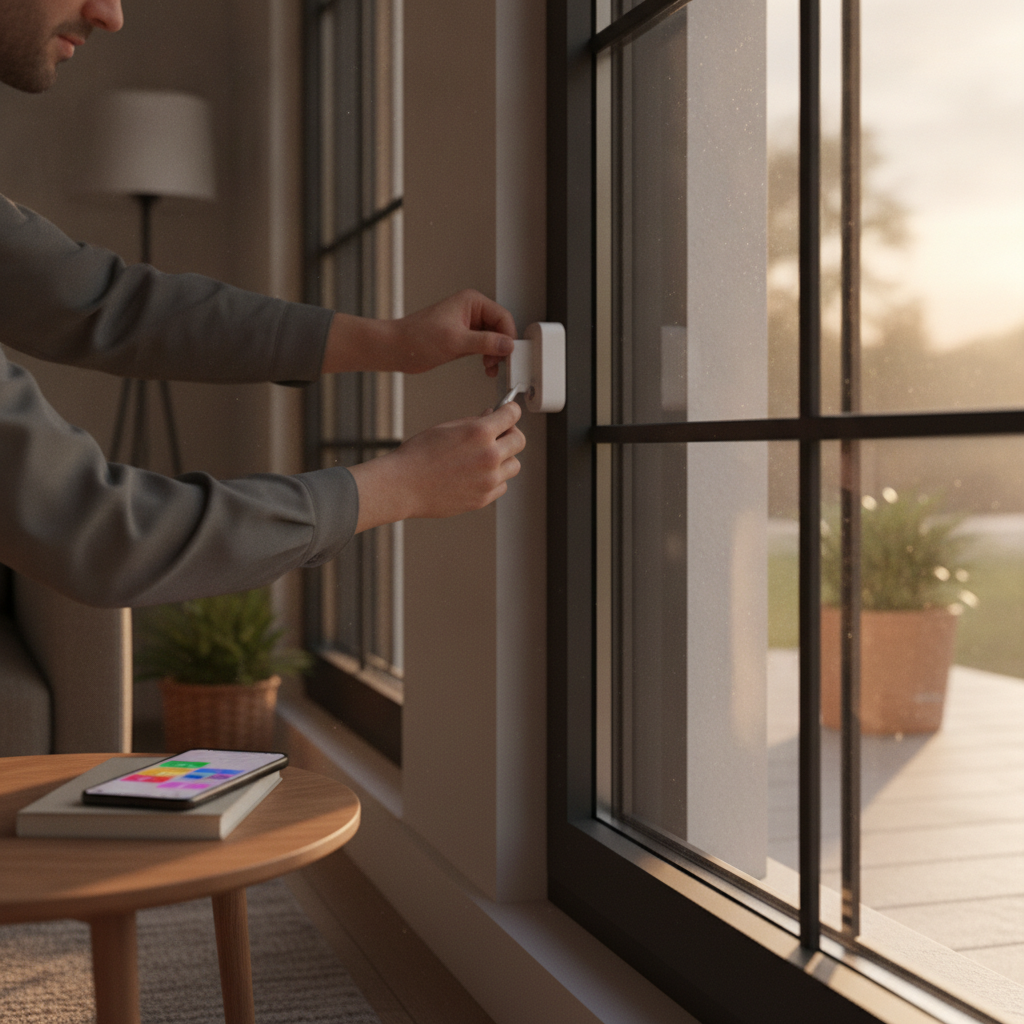
DIY can work for a few windows, but professional integration ensures clean aesthetics, durable meshes, and dependable automations. SmartAura’s white-glove installation includes wiring, configuration, and lifetime, 24/7 support.
When DIY makes sense
- Small apartments or condos with a handful of windows and straightforward frames.
- Temporary setups where adhesive contacts are acceptable and aesthetics are secondary.
- You’re comfortable aligning magnets, pairing devices, and maintaining batteries.
DIY steps at a glance
- Clean frame surfaces and dry-fit the magnet and sensor to verify gap tolerances.
- Pair the sensor with your hub, then mount using adhesive or screws as specified.
- Test with the smallest opening you care about; adjust sensitivity if using vibration.
- Create scenes: notifications at night, HVAC pause on open, and camera recording on trigger.
- Schedule monthly health checks and add a reminder for proactive battery swaps.
Why homeowners choose SmartAura
- Design-forward: Recessed contacts aligned to millimeters and paint-matched caps that blend with trim.
- Unified testing: We validate each sensor alongside cameras, locks, and lights—one pass, full-system proof.
- Robust networking: We harden meshes, segment networks, and set conservative reporting for long battery life.
- Lifetime support: 24/7 priority help if a window sensor drops offline or a scene needs fine-tuning.
Prefer a step-by-step overview of security components first? This general article on alarm systems covers the broader ecosystem from a consumer perspective.
Privacy, Networking, and Data Security
Treat sensors like any networked device: secure onboarding, strong encryption, segmented Wi‑Fi, and routine updates. A hardened mesh and unified logs reduce risk and simplify audits.
- Onboarding: Use secure pairing and change default admin credentials on hubs and routers.
- Network segmentation: Place IoT on a separate SSID or VLAN so a compromised device can’t access personal laptops or work machines.
- Encryption & updates: Keep hubs and bridges patched; enable encryption where supported and require strong app authentication.
- Audit trails: Centralize logs so you can see who armed, when a window opened, and how the system responded.
SmartAura’s smart security and company networking practices emphasize resilience. We configure reliable meshes, harden Wi‑Fi, and confirm that automations execute even during short internet outages.
Window and shade coordination also protects privacy. For a design perspective on energy and comfort, see this overview of honeycomb blinds as a smart upgrade, which dovetails with our automated shade routines.
Smart Window Sensors: Frequently Asked Questions
These quick answers address the most common homeowner questions about smart window sensors—from battery life and placement to integration and maintenance.
Where should I place smart window sensors?
Mount the magnet on the moving sash and the sensor on the fixed frame, as close as possible while meeting gap specs. Prioritize first-floor, basement, and easily accessed second-floor windows. Keep a consistent height and orientation throughout the home for a clean look and easier maintenance.
How long do batteries usually last?
Battery life typically ranges from 12 to 24 months depending on protocol, reporting frequency, and temperature. Scheduling monthly health checks and using strong meshes (Zigbee or Thread) help extend life. Replace batteries proactively before peak winter or summer.
Can window sensors integrate with lighting and HVAC?
Yes. A unified hub can trigger lights to turn on if a window opens at night, lower shades after all windows close, or pause HVAC until the room is secured. SmartAura designs scenes that coordinate sensors with lighting, climate, and shades for convenience and energy savings.
What causes false alarms and how do I avoid them?
False alarms often stem from poor magnet alignment, loose adhesive, or overly sensitive vibration settings. Keep gaps within spec, use quality adhesive or recessed installs, and test sensitivity in each room. Monthly test routines help catch issues early.
Conclusion & Next Steps
Smart window sensors are a small upgrade with outsized benefits: stronger security, fewer false alarms, and smarter comfort. The best results come from thoughtful placement, a robust mesh, and unified control executed by a professional team.
Key takeaways
- Match sensor type to window style (contact, vibration, glass-break, tilt) for reliable detection.
- Build a strong Zigbee or Thread mesh and test devices monthly to prevent surprises.
- Integrate with lighting, shades, and climate to turn security into everyday convenience.
- Consider professional installation for hidden finishes, dependable automations, and lifetime support.
Action steps
- List priority windows by floor and risk, then decide on contact versus tilt versus glass-break coverage.
- Plan a mesh backbone and a unified app to coordinate lighting, shades, cameras, and HVAC.
- Book SmartAura’s free in-home consultation to design a clean, reliable system that fits your lifestyle.
Ready to make your home feel calmer and more secure? Schedule your discovery session in Brampton and let us handle the details—from design to installation to 24/7 support.
Related Articles & Resources
Explore more ways to secure and simplify your home. These internal resources show how sensors, shades, cameras, and entry controls come together in a unified SmartAura system.
For deeper dives into connected safety and comfort, browse our latest insights, explore smart security options, see how automated shades complement window sensors, and review project results. If you’re coordinating doors and garages, check out garage and entry controls. Learn about our team on the About page.