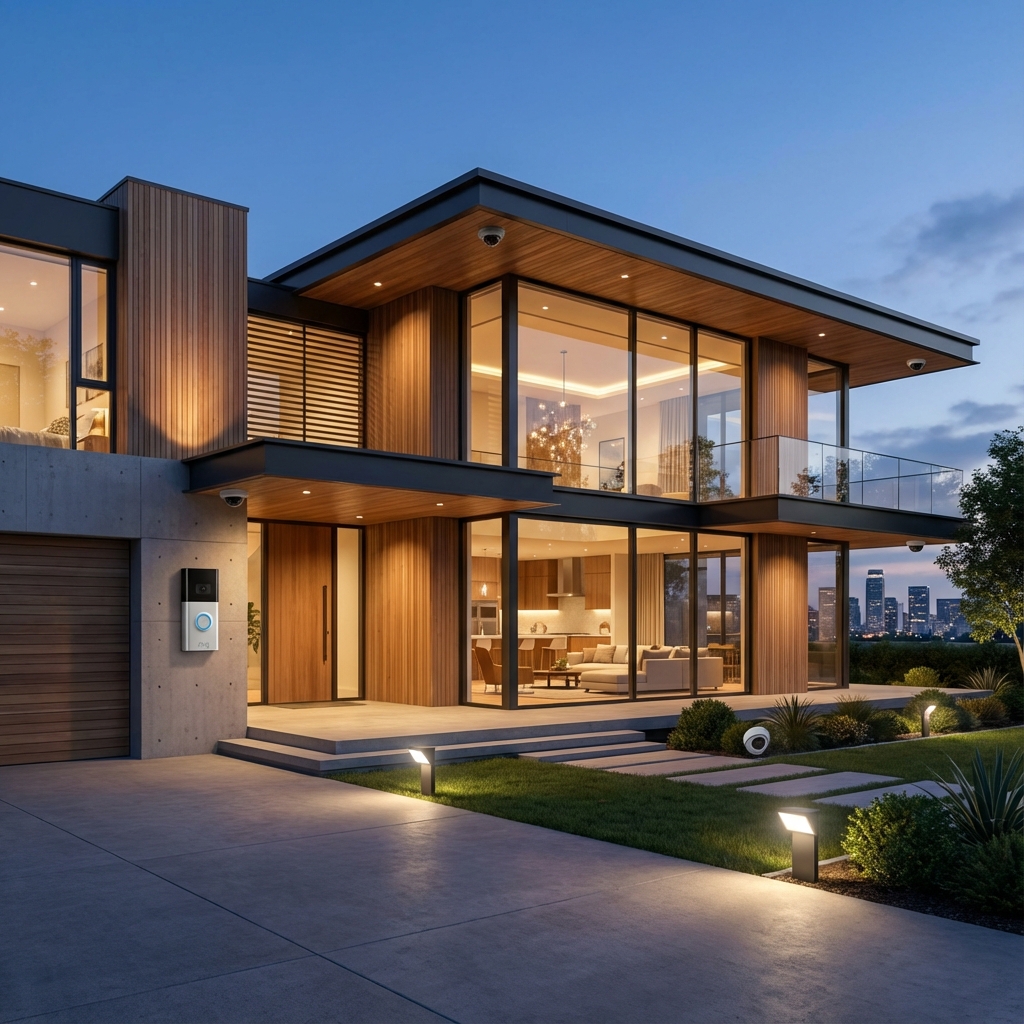
Modern detached homes across the Greater Toronto Area — whether a two-storey family home in Brampton's Springdale, an open-concept layout in Mississauga's Churchill Meadows, or an executive build in Vaughan — are increasingly equipped with connected gadgets. Homeowners install a video doorbell at the front entrance, a smart electronic deadbolt on the front door and side garage access, a smart thermostat on the main floor hallway, and smart dimmers in the kitchen and living room. Yet within a few weeks, many families experience severe “app fatigue.” You open one app to see who rang the bell, another app to unlock the door, a third app to bump the heat, and a fourth app to adjust the kitchen pot lights.
Having five separate smart apps on your smartphone is not genuine smart home automation; it is merely remote-controlled clutter. True automation happens when your devices speak a common language, share sensor data, and coordinate their behavior automatically based on presence, time of day, and environmental triggers. In this comprehensive guide and FAQ, we address the exact questions GTA homeowners ask when upgrading from isolated gadgets to a seamless, integrated whole-home ecosystem.
How Can a Home Security System Integrate with Smart Locks, Voice Assistants, and Lighting Automation Rules?
At the center of any cohesive smart home is an architectural integration bridge — a centralized system controller or universal ecosystem hub (such as Apple Home with HomeKit, Home Assistant, Hubitat, or Lutron / Alarm.com commercial platforms). Rather than relying on cloud-to-cloud integrations that lag or break when an external server experiences downtime, a unified system connects individual hardware devices through low-latency local communication protocols.
When an integrated security system detects an event, it broadcasts that state change across your entire smart home network:
- Doorbell to Lighting Rule: When the video doorbell detects human motion on your front porch after sunset, the system signals the smart lighting controller to smoothly fade the porch pendant and exterior soffit lights from 20% accent brightness up to 80% task brightness, illuminating the visitor before they even press the bell.
- Smart Lock to Security & Climate: Entering your custom four-digit PIN code on the exterior deadbolt does more than turn the lock cylinder: it instantly disarms the interior security sensors, cancels perimeter alerts, and tells the smart thermostat to switch from Eco setback mode back to a comfortable 21°C.
- Voice Assistant Coordination: Instead of configuring separate skills across conflicting brands, your voice assistants (Siri, Google Assistant, or Amazon Alexa) communicate with a single master platform. Saying “Hey Siri, Goodnight” or “Alexa, we're leaving” triggers dozens of actions across locks, thermostats, blinds, and lights simultaneously.
What Communication Protocols Make Multi-Brand Integration Seamless?
One of the biggest pain points for homeowners is discovering that products purchased from different big-box retailers do not communicate natively. Understanding the wireless standards under the hood helps you build a stable, future-proof setup:
- Matter & Thread: The unifying smart home standard backed by Apple, Google, Amazon, and Samsung. Thread is a low-power, self-healing mesh protocol that connects battery-powered devices (like door locks and contact sensors) with zero lag, eliminating the need for manufacturer-specific proprietary hubs.
- Zigbee & Z-Wave: Ultra-reliable, mature mesh wireless frequencies that operate outside the congested 2.4GHz Wi-Fi band. Z-Wave (operating around 908MHz in North America) is the gold standard for security door locks and sensors because it cannot be jammed or interfered with by neighborhood Wi-Fi traffic.
- Local IP & Hardwired PoE: Video doorbells and security cameras stream high-bandwidth video data. Connecting them over local IP or Power-over-Ethernet (PoE) ensures uninterrupted video recording without hogging wireless airtime needed by your laptops and mobile devices.
- Cloud APIs vs. Local Processing: Systems that rely purely on cloud APIs experience 2- to 5-second delays and stop working whenever your internet connection drops. Professional integrations prioritize local control so routines execute instantly within your home network.
Standalone Smart Devices vs. A Unified Integrated System
To visualize the practical difference between piecemeal gadgets and an expertly engineered integration, consider how each system performs in daily residential scenarios:
| Feature / Scenario | Standalone Consumer Devices (DIY) | Unified Integrated Smart Home |
|---|---|---|
| User Interface | 4 to 6 different apps (Ring, Ecobee, Schlage, Hue) | Single dashboard, wall-mounted touch panel, or Apple Home/Google Home |
| Arriving Home at Night | Unlock door manually in lock app, walk into dark hallway, adjust thermostat separately | Unlocking deadbolt triggers foyer lighting, adjusts climate, and disarms security automatically |
| Internet Outage Behavior | Most automations and remote toggles fail entirely | Local mesh automations, keypad entry, and lighting scenes operate normally |
| Wi-Fi Network Impact | Dozens of individual Wi-Fi devices slow down home router | Low-power Thread/Z-Wave mesh keeps Wi-Fi airwaves clean and responsive |
| Ontario Winter Energy Savings | Static thermostat schedules that heat empty rooms | Occupancy sensors, door contacts, and geofencing dynamically minimize heating waste |
What Does a Coordinated Whole-Home Automation Routine Look Like in Practice?
To understand the true convenience of a smart lock, video doorbell, thermostat, and lighting integration, look at how a GTA family moves through a normal weekday:
1. The Morning Departure Routine (“Goodbye GTA”)
When the last family member leaves for work and school, pressing the exterior deadbolt lock button or walking out of the geofenced perimeter initiates the routine:
- All motorized deadbolts lock securely and confirm latch engagement.
- All interior lighting zones turn off; exterior accent lights set to daytime standby.
- Smart thermostats drop heating to an eco-setback (e.g., 18°C in winter), saving up to 15% on Enbridge natural gas bills.
- Video doorbells and perimeter security cameras arm their smart motion alerts.
2. The Delivery & Safe Entry Scenario
A courier delivers an important package while you are at work in downtown Toronto:
- The video doorbell rings your mobile phone with a live, zero-latency HD stream.
- From the same interface, you tap once to disarm the garage side door and unlock the smart deadbolt.
- The mudroom light turns on automatically so the courier can place the parcel inside.
- Once the door closes, the smart lock automatically re-engages after 60 seconds, and the lights turn off.
3. The “Goodnight” Bedtime Routine
At 11:00 PM, a single bedside tap or voice command executes your nighttime sequence:
- Verifies that front, rear, and garage deadbolts are fully locked; sends an alert if any exterior door was left ajar.
- Adjusts second-floor bedroom temperatures to an ideal 19°C sleeping climate while setting main floor zones to sleep mode.
- Fades all main-floor and basement lights over 30 seconds, leaving a 10% pathlight in the hallway.
- Sets exterior perimeter cameras to active night-vision deterrence.
Frequently Asked Questions About Smart Home Integration
Can I integrate existing smart devices from different brands like Ring, Ecobee, Schlage, and Lutron?
Yes. By deploying a universal integration controller or leveraging Matter-compatible bridges, we bridge differing brand ecosystems together. You keep your preferred hardware while eliminating the need to jump between separate apps.
Do smart locks work reliably in extreme Ontario winter temperatures (-20°C to -30°C)?
Yes, provided the proper grade of hardware and batteries are used. High-quality commercial deadbolts (such as Schlage Encode, Yale Assure 2, or commercial Z-Wave units) are rated for exterior temperatures down to -35°C. Crucially, the door latch and strike plate must be precision-aligned so the motorized bolt slides without friction when doorframes contract during winter cold snaps. Furthermore, utilizing high-output lithium AA batteries prevents voltage drops in sub-zero conditions.
What happens to my smart home if the internet goes down?
A properly designed system relies on local protocol execution (Thread, Zigbee, Z-Wave, or local LAN IP). If your Bell or Rogers internet connection is interrupted, your scheduled lighting routines, smart lock PIN codes, wall keypad switches, and thermostat temperature controls continue working flawlessly inside the home. Only remote smartphone access from outside your house requires an active internet connection.
Why is my video doorbell lagging or dropping connection at the front door?
In many two-storey GTA detached homes, the ISP router is situated in a basement utility room or rear home office. Front entryways are often blocked by brick, stone facades, metal insulated exterior doors, and foil vapor barriers that choke 2.4GHz Wi-Fi. Upgrading to a hardwired transformer (16V–24V) and placing a wired access point near the front foyer resolves video buffering permanently.
Can voice assistants unlock exterior smart deadbolts safely?
Yes, with strict security safeguards. Modern integration ecosystems prevent voice assistants from unlocking doors without a verbal security PIN or biometric device verification (Face ID / fingerprint) to ensure an unauthorized person cannot shout commands through an open window.
Achieve Seamless Whole-Home Automation with SmartAura
You don't have to settle for a frustrating jumble of disconnected apps and unreliable wireless gadgets. SmartAura Network Solutions specializes in designing clean, integrated smart ecosystems tailored to the unique floor plans of detached homes, semis, and townhouses across Brampton, Mississauga, Vaughan, Toronto, Caledon, and Orangeville.
Explore our full range of solutions: discover our comprehensive home security services, learn how smart climate control cuts utility costs, see our custom smart lighting automation, or review our guide on estate-scale automation design.
Ready to bring your smart locks, video doorbell, thermostats, and lighting together into one effortless system? Book your free in-home consultation today and let our certified low-voltage integrators create the perfect smart home plan for your property.